Planning a beach wedding often means counting more than ceremony guests. You may also need a reliable reception count, transportation requests, meal information, and a clear record of how many seats each invitation includes.
A well-organized RSVP starts before you send the invitation. Decide which planning decisions depend on guest responses and what you actually need to ask. That lets you collect useful information once instead of chasing answers in dozens of separate messages.
A useful RSVP answers more than “yes” or “no.” It gives you the details you need to plan and tells guests what to do next.
1. Decide what you need to know
Before setting up an RSVP form, list the decisions you need to make. For example:
- Who is attending the ceremony and reception?
- How many assigned seats will each invitation use?
- Do you need to share dietary needs with the caterer?
- Who needs a seat on group transportation you are arranging?
- Does a welcome event or next-day brunch require a separate response?
Ask only for information you will use. If you have not decided whether transportation will be available, do not ask guests to reserve a seat that may not exist. Share those details when they are confirmed.
2. Assign seats and explain who is invited
If each household or group has a specific number of seats, make that clear in the invitation. This prevents guests from assuming they can add extra attendees and helps you compare responses with the venue’s capacity.
Make it easy for someone to decline, too. A “no” is a helpful answer that lets you close the loop; guests should not have to give a detailed explanation.
3. Set a deadline that works for your vendors
Ask your venue, caterer, and transportation provider when they need final counts. Use those deadlines to choose an RSVP date, leaving time to follow up on incomplete responses.
Avoid choosing an arbitrary deadline. Guests may need to book flights or lodging well in advance, so send an early save-the-date or travel note separately from the final attendance deadline. Those are different decisions.
4. Give guests one link for the event details
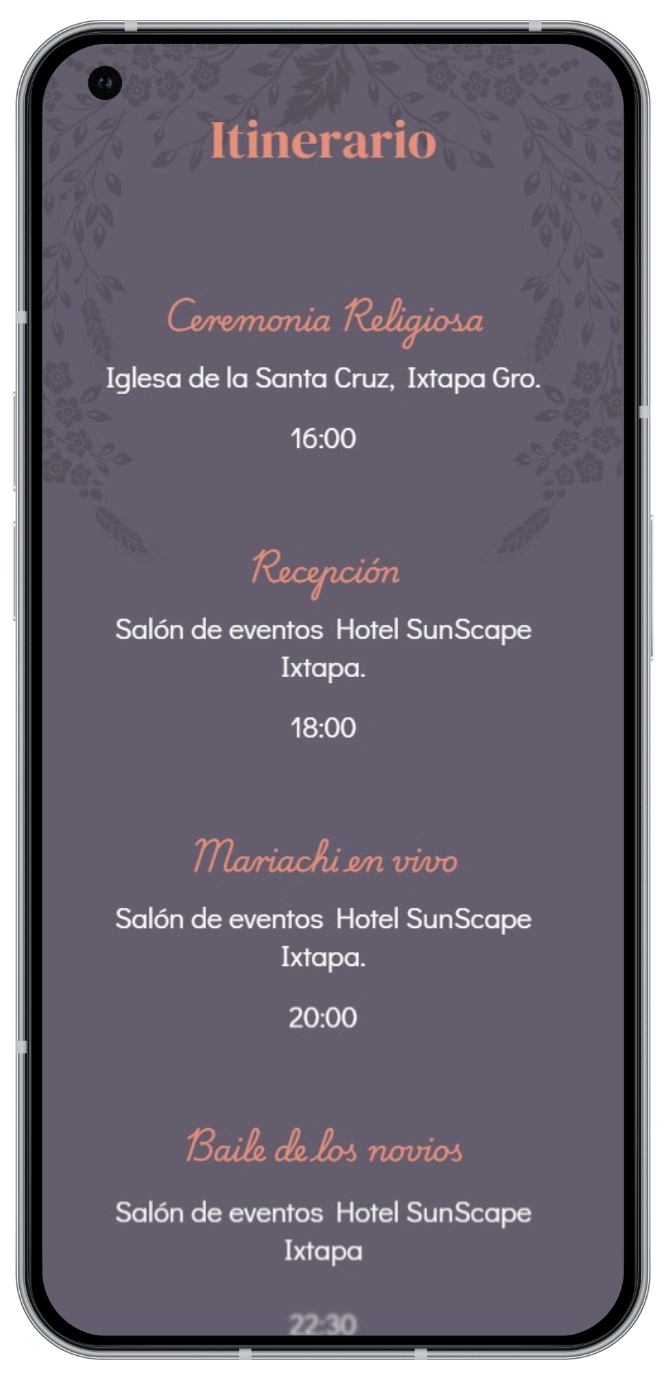
Share one stable page where guests can revisit the schedule, maps, dress code, and travel information. If a meeting point or itinerary changes, update that page and notify guests instead of letting old screenshots circulate.
Test each link on a phone. Ask someone outside the planning process to confirm that they understand where to go and how to respond.
5. Follow up at planned moments
You do not have to message every guest every day. Review responses, separate confirmed, declined, and pending invitations, then send concise reminders at planned intervals.
A friendly reminder can include the RSVP deadline and the same response link. Avoid asking by text for details the guest has already submitted elsewhere. If someone replies in a private message, update your central list so your final count does not rely on memory.
6. Close the count and share changes
After the RSVP deadline, compare the responses with each vendor’s needs. Check that the number of attendees does not exceed assigned seats and that meal, transportation, and reception counts use the same guest list.
If someone changes their response after the deadline, record when it changed and notify the affected provider if it changes a final count. Keep one final copy of your guest list for the wedding day.
A clearer way to track responses
When replies arrive in separate messages, it can be difficult to tell a “maybe” from a final answer or know whether someone has used all of their assigned seats. A digital invitation with an RSVP flow can bring everyone to the same response process and help you review reply status in a guest panel, depending on the setup you choose.
Nvitaciones invitations can connect the RSVP flow with WhatsApp, while the guest panel helps organize replies and assigned seats. The couple still sets the deadlines, provider requirements, and event rules; the system helps keep the responses organized. Explore digital wedding invitations and read our guide to what to include in a beach wedding invitation.
Beach wedding RSVP FAQs
What does RSVP mean on a wedding invitation?
RSVP asks guests to say whether they will attend. Their responses help the couple confirm the number of seats, meals, transportation, and other event services.
Should each guest RSVP separately?
Choose a process that matches how you assigned seats. If one invitation covers a group, let one person respond for the group and clearly list who is included. This keeps related responses together.
How do I follow up with guests who have not responded?
Keep one central list with the status of every invitation and send short reminders before the deadline. Include the response link again so guests can answer easily.
What if a guest changes their answer?
Update your central list and tell the affected provider if the change alters a final count. Ask guests to use the same RSVP channel for any updates.
For travel details, maps, and schedules, read the Ixtapa-Zihuatanejo beach wedding guest guide.